
Closing and reopening a conversation
By closing a conversation you mark the conversation as 'finished' and clear it from your inbox. Should the customer send an additional message, the conversation will re-open.
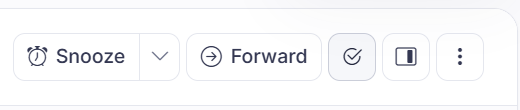
Short answer: click the checkmark at the top of the conversation to close it once it's handled. To open it again later, set the filter to Closed, open the conversation, and reopen it.
Step by step
- Once you've fully helped the customer, click the checkmark at the top of the conversation. It gets the status Closed and disappears from your active list.
- To find a closed conversation again: set the filter above the conversation list to Closed.
- If the customer wrote again or you need to carry on, you reopen the conversation from that same screen.
Good to know
Closing isn't the same as deleting: the conversation stays saved and searchable, and the customer sees nothing of it. No closing message goes to the chat. If you're not sure the customer will come back, snoozing is often better, because then the conversation comes back on its own instead of you having to go looking for it.
The close button only works on conversations that already went to a person. You don't manually close a conversation Sarrai is still handling entirely herself. She closes those automatically after 24 hours without activity (the customer sees nothing of that either).
Closing is also what sets the classification by topic and question type in motion. A conversation that is still running never gets classified, so your report only covers a conversation once it is closed. See How does Sarrai classify conversations?
If a customer writes again after closing (or during a snooze), the conversation reopens automatically and comes back into the queue, to a person, not to Sarrai. The first time, the customer gets one message that their question has been forwarded to support; on a later reopening the conversation comes back quietly, with no new message.
Also searched as
"close a chat", "mark a conversation as resolved", "find a handled conversation again", "open a closed conversation again"
See also
Was this article helpful?
Your feedback helps us improve this article.
Thanks for your feedback!
