
Requesting visitors' contact details in the chat
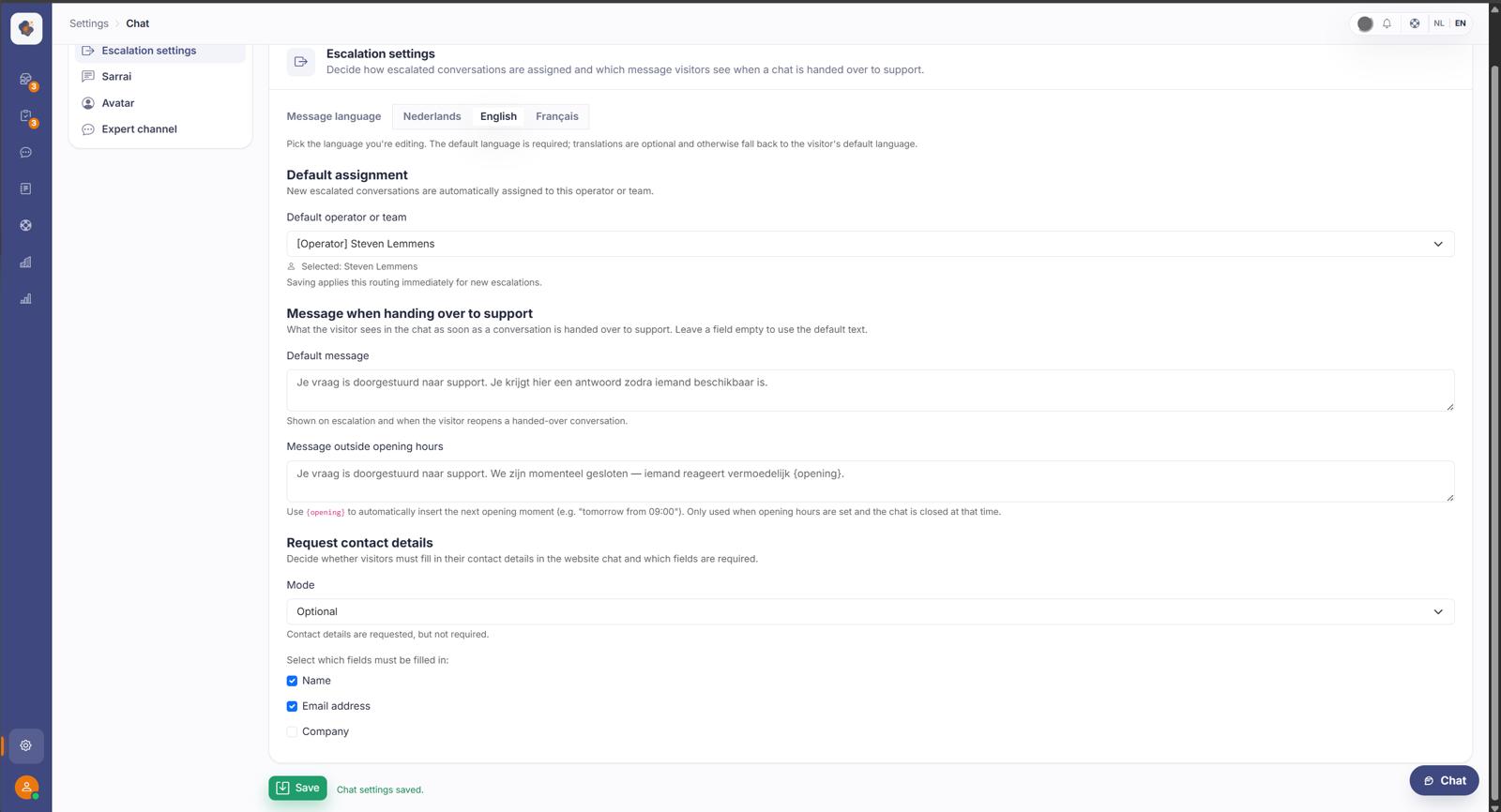
In Settings > Chat > Escalation settings, Request contact details lets you decide whether visitors fill in their details before chatting: Disabled, Optional or Required, and which fields (name, email address, company) are required.
Short answer: go to Settings > Chat > Escalation settings and find Request contact details. Under Mode you choose whether visitors fill in their details (Disabled, Optional or Required), and below that you tick which fields are required: name, email address or company.
The three modes
Disabled, contact details aren't requested. The visitor chats straight away.
Optional, the details are requested, but the visitor may skip them and chat anyway.
Required, the visitor has to fill in the requested details before they can go on.
Below that, the Name, Email address and Company checkboxes decide which fields are required.
Why you'd want this
Asking for details means you know who you're talking to and can follow up afterwards, even when the conversation goes to a human. The trade-off is friction: the more you ask up front, the more visitors drop off. Optional is usually the sweet spot, you capture details without blocking someone who just wants to ask a quick question.
Watch out: "optional" still enforces required fields
This often surprises people. Even in Optional mode, the fields you marked as required are enforced as soon as the visitor fills in anything. If someone enters only their name while email address is set as required, their message is still refused. So the visitor can skip the form entirely, but once they start it, they have to complete every required field. Line up your mode and your required fields deliberately: only mark a field required when you mean it.
Also searched as
"ask for name and email before chat", "set up a pre-chat form", "require an email address in the chat", "collect lead details through chat", "visitor must sign in first"
See also
Was this article helpful?
Your feedback helps us improve this article.
Thanks for your feedback!
