
Configuring Sarrai's standard messages (per language)
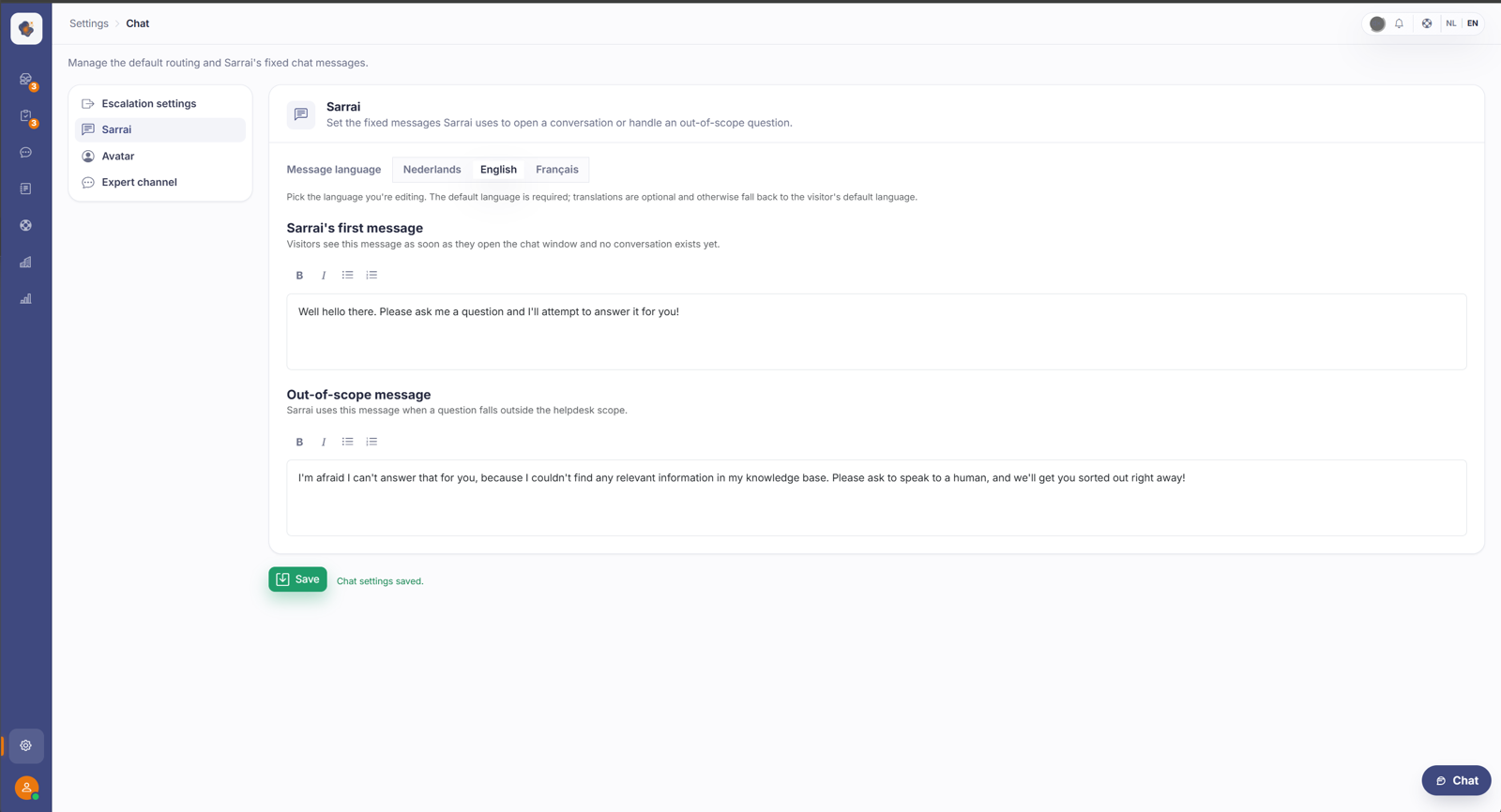
In Settings > Chat you set Sarrai's standard messages: the first message and the out-of-scope message (Sarrai tab), and the handover message and the out-of-hours message (Escalation settings tab). You can fill in each message per language; leave a language empty and Sarrai falls back to the default text.
Short answer: go to Settings > Chat. On the Sarrai tab you set the first message and the out-of-scope message; on the Escalation settings tab the handover message and the out-of-hours message. You can fill in each message per language.
The four standard messages
On the Sarrai tab:
- Sarrai's first message, what a visitor sees as soon as the chat window opens and no conversation has started yet. The greeting, in other words.
- Out-of-scope message, what Sarrai uses when a question falls outside the scope of your helpdesk.
On the Escalation settings tab:
- Message when handing over to support, what the visitor sees once a conversation goes to support. It appears on escalation and when the visitor reopens a handed-over conversation.
- Message outside opening hours, the variant Sarrai shows when the chat is closed outside your opening hours.
Each message per language
At the top of each message tab there's Message language with your content languages (for example Dutch, English, French). You pick a language and fill in the text for it. The default language is required; the translations are optional.
If you leave a language empty, Sarrai falls back to the default text for that language. So a French-speaking visitor gets a French message if you filled one in, and otherwise simply the version in your default language. No message is ever left blank. Which languages you see here depends on what you turned on in Help Center > Languages.
Good to know
You don't have to fill in every language to get going: one solid default language is enough, and the rest fills in with that text automatically until you add a translation.
In the out-of-hours message you can place {opening}. Sarrai replaces it automatically with the next opening moment, for example "tomorrow from 09:00". That variant is only used when you've actually set opening hours and the chat is closed at that moment.
Alongside these messages, the Chat tab also holds the default assignment for escalated conversations and the setting for whether visitors have to provide their contact details.
Also searched as
"change the chat welcome message", "Sarrai's first greeting", "message when the AI doesn't know the answer", "text when handing over to an agent", "set the closed message", "chat message in French"
See also
Was this article helpful?
Your feedback helps us improve this article.
Thanks for your feedback!
