
How to keep your content up to date
By giving your content items a review date, you'll know when the information is the article has to be checked again.
Short answer: give an article a review date in the right-hand panel so you know when to check it again, use the Outdated (> 6 mo) filter in the content list to find forgotten content, and check Broken links for dead references.
Three ways to keep your knowledge base healthy
Review date. In the editor, under Findability, set a date when the article should be reviewed again. Handy for information that changes, such as prices or opening hours.
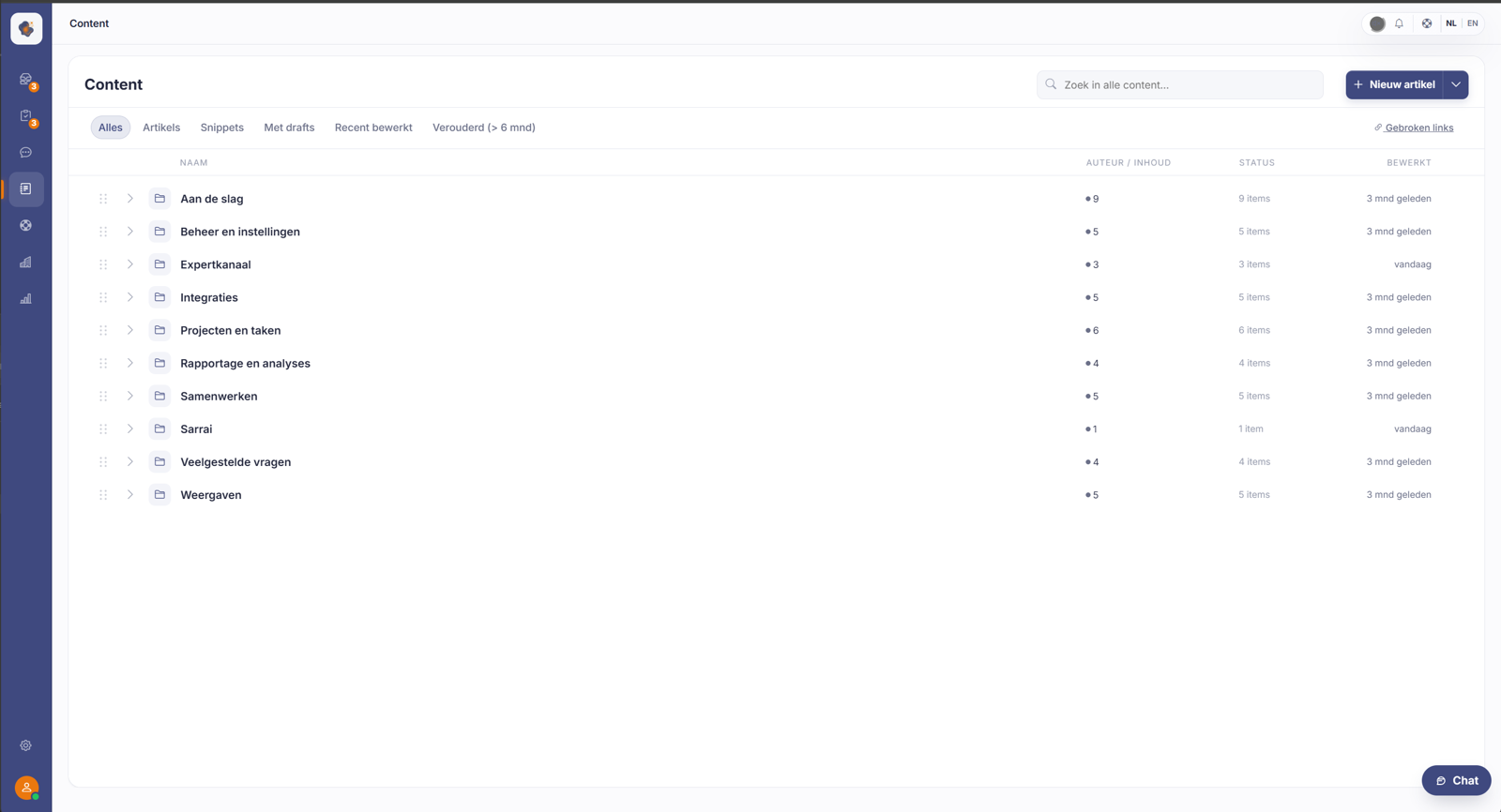
Outdated (> 6 mo). Above the content list there's a filter that shows all content not updated in more than six months. A quick way to see what needs attention.
Broken links. At the top right of the content list you'll find Broken links. With it you track down references that no longer lead anywhere, so your visitors (and Sarrai) don't end up in a dead end.
Good to know
Outdated or wrong content is worse than no content: Sarrai could pull a wrong answer from it. A fixed habit, for example going through the outdated list monthly, keeps your knowledge base reliable.
Also searched as
"find old articles", "when to review content", "find dead links", "clean up the knowledge base"
See also
Was this article helpful?
Your feedback helps us improve this article.
Thanks for your feedback!
