
Customizing the branding of your help center
Set your company name, logo and color scheme right from the settings of the help center
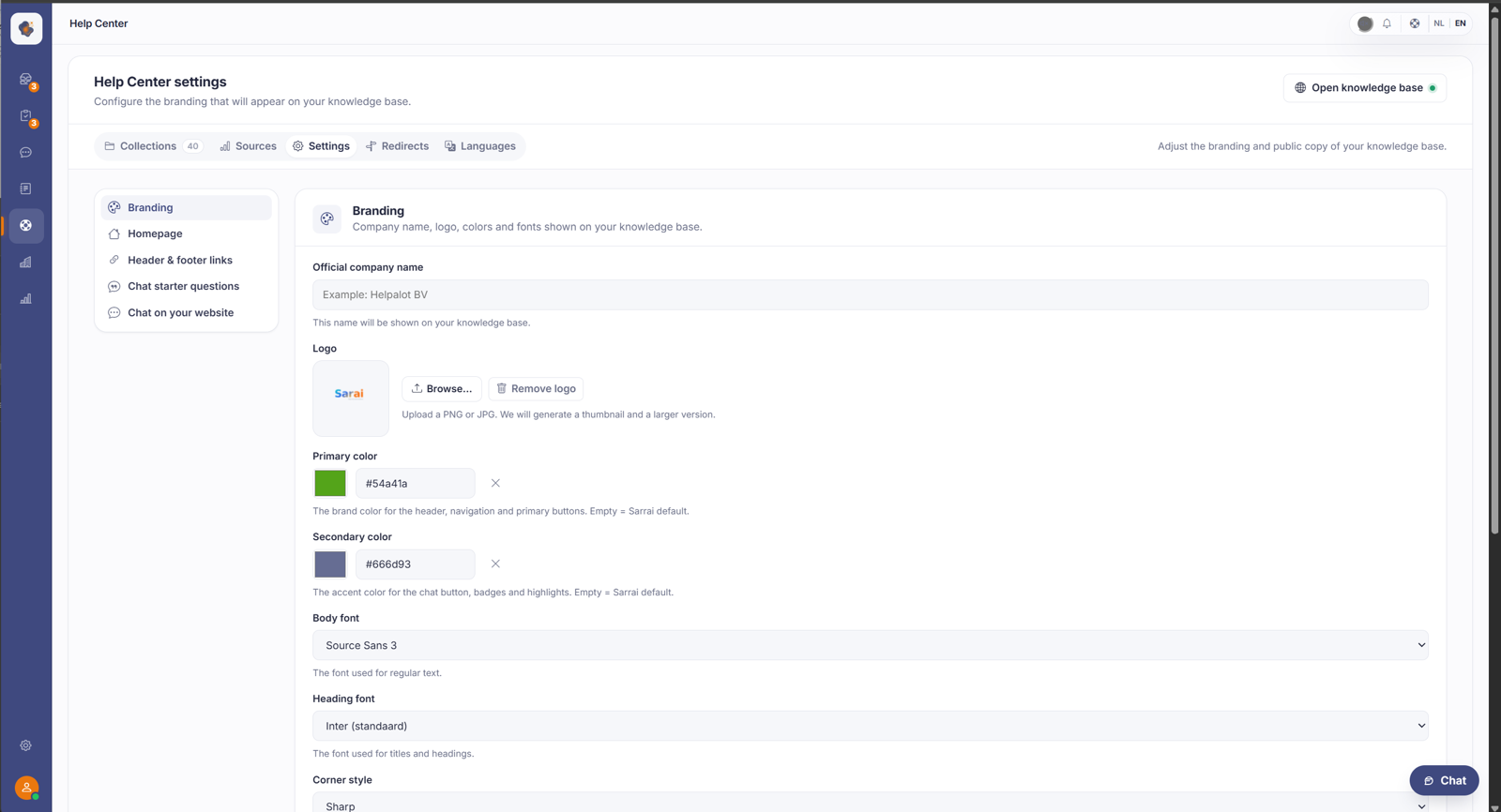
Short answer: go to Help Center > Settings > Branding. There you set your official company name, logo, primary and secondary colour, and fonts. These show up on your public help center and on the chat button.
What you can set
Company name: the name that appears on your knowledge base.
Logo: upload a PNG or JPG. A thumbnail and a larger version are created automatically.
Primary color: the brand colour for the header, navigation, and primary buttons. Leave the field empty and Sarrai uses its default colour.
Secondary color: the accent colour for the chat button, badges, and highlights.
Text font and Title font: pick a font for the regular text and one for the titles and headings.
What the branding does and doesn't colour
Set nothing, and your Help Center stays pixel-identical to the Sarrai default, not empty or white. Something is only overridden once you pick a value of your own, and there's a "back to default" button.
One thing often surprises people: your primary colour does not recolour the chat button. The floating chat bubble and the chat header stay Sarrai navy, on purpose, for recognisability. Only the font follows your branding. And the chat you embed on your own website doesn't pick up your Help Center branding at all: it follows its own fixed style.
Good to know
This way your help center feels like part of your own brand rather than an external tool. Leave a colour field empty if you're unsure, and it falls back to the Sarrai default.
There's also a allow indexing by search engines toggle. Turn it off and your Help Center asks Google and the rest not to index it. Use that deliberately, because over time it removes your Help Center from the search results. It's not a "hide for now".
Also searched as
"set logo on help center", "change the colours of the chat button", "pick my own font", "help center in my branding"
See also
Was this article helpful?
Your feedback helps us improve this article.
Thanks for your feedback!
