
Subscription and invoicing
Managing your subscription can be done from the Settings.
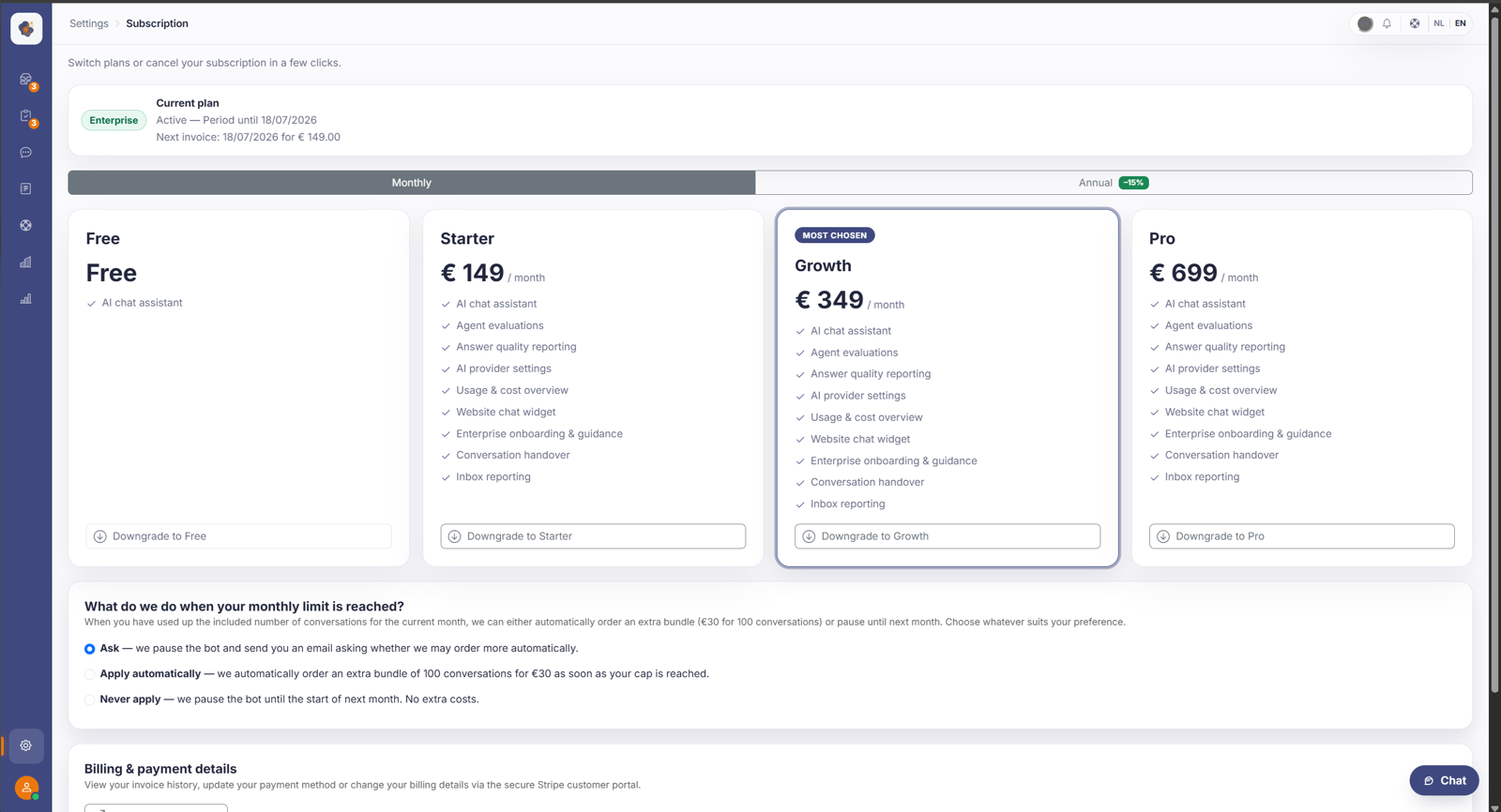
Short answer: go to Settings → Subscription to view your current plan and upgrade (for example to Pro or Enterprise). If something goes wrong with billing, Billing Support is the screen for checking the status.
The two screens
Subscription shows your current plan and the option to upgrade for more capabilities.
Good to know
Who can view or change the subscription depends on the roles and permissions.
Also searched as
"view my plan", "upgrade to Pro", "where do I see my invoices", "fix a billing problem"
Was this article helpful?
Your feedback helps us improve this article.
Thanks for your feedback!
