
Setting up knowledge automation
Automate your knowledge base by managing the thresholds for knowledge gaps and your weekly digest.
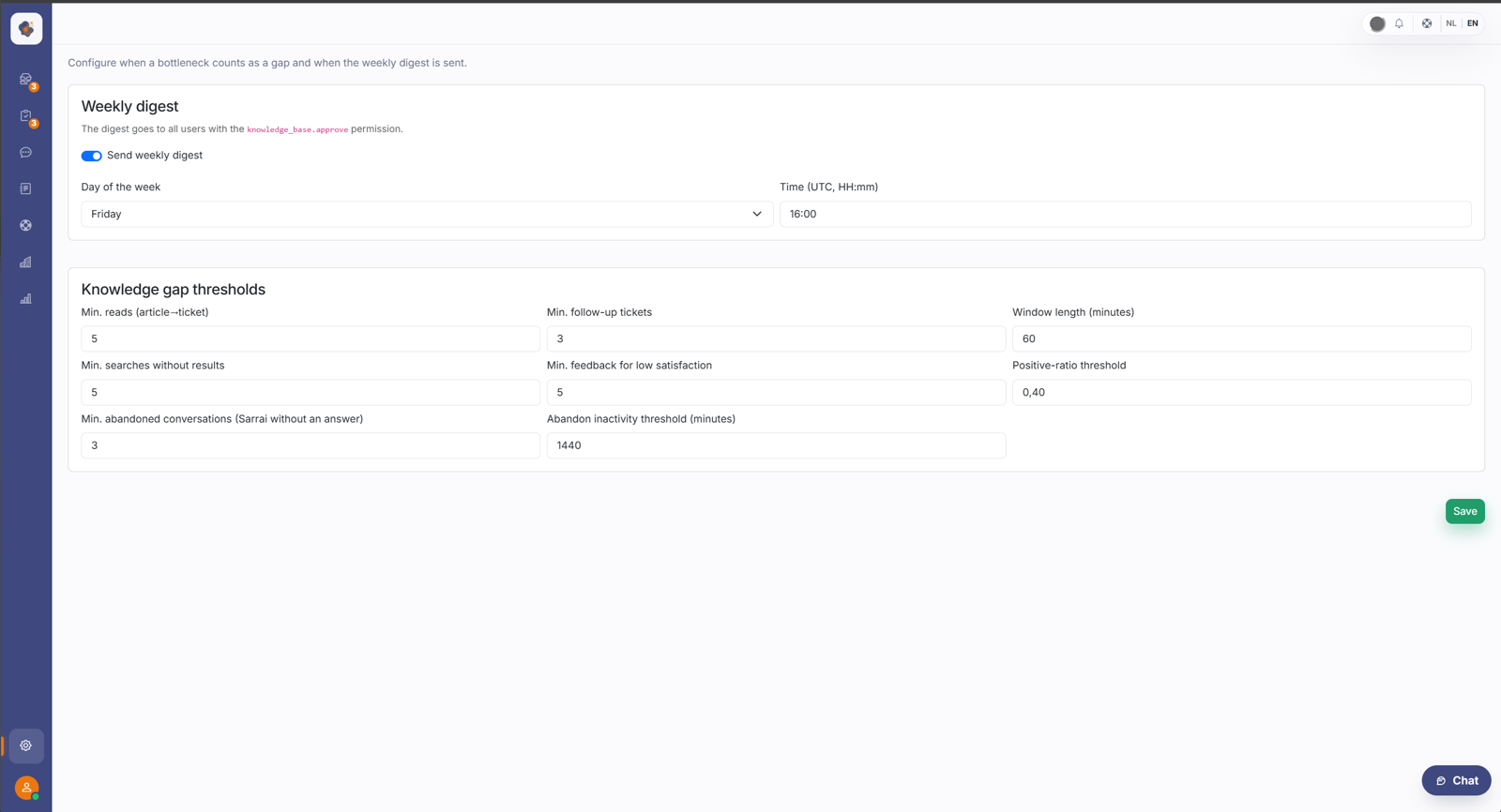
Short answer: go to Settings → Knowledge base automation to set the thresholds for knowledge gaps and to manage the weekly digest email that reminds approvers of open suggestions.
What you set
Thresholds for knowledge gaps decide when something gets flagged as a gap, for example from how many unanswered or poorly scoring questions a signal appears. You see those gaps in the Knowledge gaps report.
The weekly digest email sends approvers an overview of what's ready, so suggestions in the approval inbox don't sit around.
Good to know
These settings keep Sarrai's learning cycle running without anyone having to watch it constantly: the thresholds spot gaps, and the digest makes sure the suggestions actually get handled.
Also searched as
"when does something become a knowledge gap", "weekly reminder for approvers", "set up the digest mail", "threshold for unanswered questions"
See also
Was this article helpful?
Your feedback helps us improve this article.
Thanks for your feedback!
