
Configuring your opening hours
By configuring up your opening hours to determine when Sarrai AI can use the expert channel to double check information and to manage a customer's expectation when his/her conversation is escalated to your support team.
Short answer: go to Settings → Workspace and set one or more time slots per day. Set nothing and "always open" applies. The opening hours decide, among other things, when Sarrai checks with a colleague and when your team gets notifications, but the AI chat itself keeps answering outside the hours.
Step by step
- Open Settings → Workspace.
- Add one or more time slots per day when you're open.
- Save.
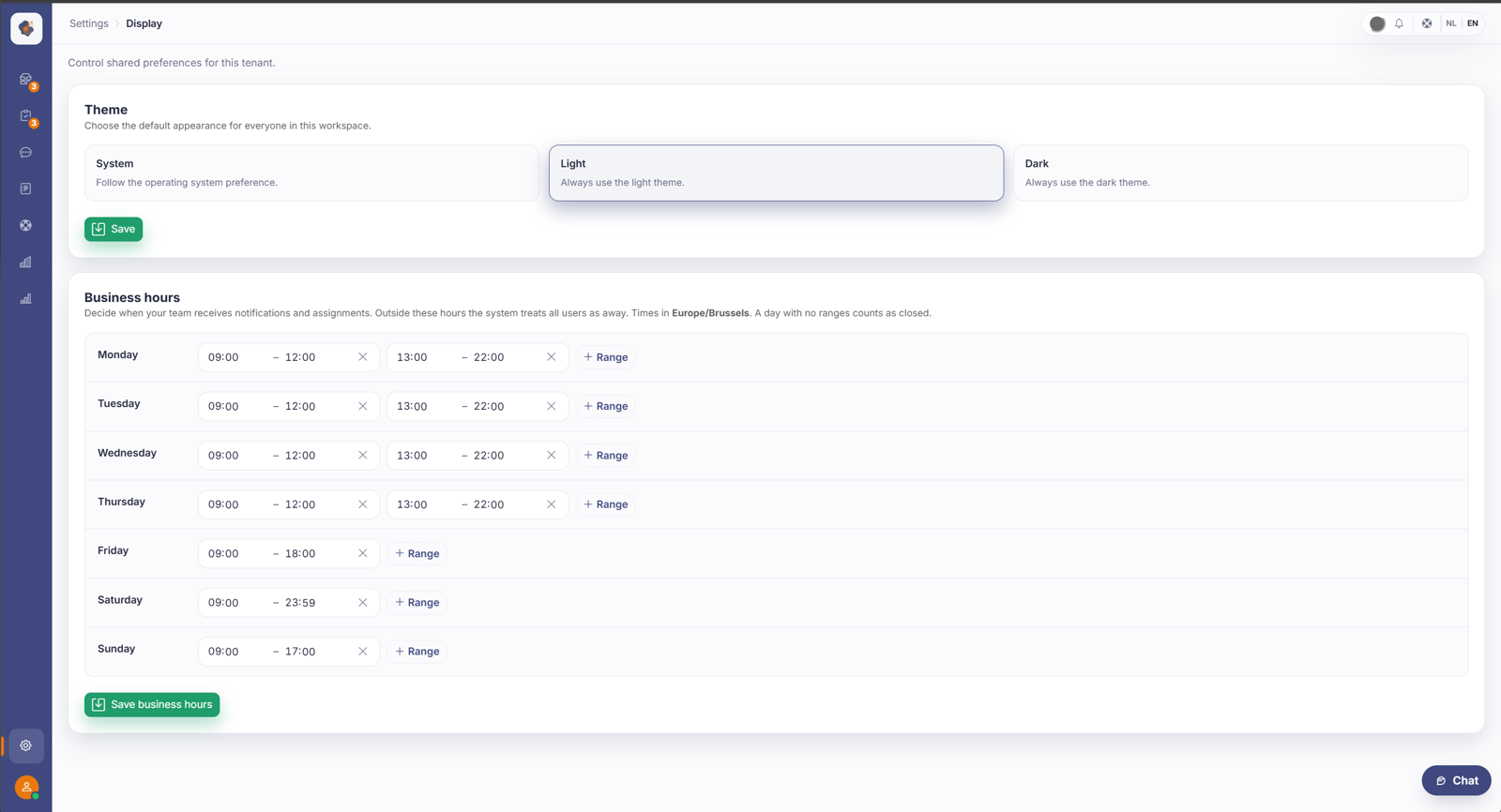
What opening hours do steer
- "Check with a colleague" isn't offered outside the hours, since a colleague won't reply in time anyway. Sarrai then solves it itself or hands over to a human straight away.
- The message the customer sees on escalation becomes the "we're closed" message outside the hours, with the next opening moment in it ("... someone will probably reply tomorrow from 09:00").
- Notifications and new assignments for your team: outside the hours no one gets them, whatever their presence status.
- The automatic reset of a temporary presence status happens at the end of your working day.
What they don't steer
- The AI chat keeps answering at night as usual, there's no "chat closed after closing time". That explains why more seems to escalate outside the hours: Sarrai doesn't check with a colleague then and handles it itself or hands over.
- The default assignment of escalated conversations deliberately ignores the opening hours: an escalated conversation is always assigned to the person in charge and waits until they're back, rather than staying unmanaged.
Good to know
The time zone is fixed at Europe/Brussels. You can't change it, not even if your team or your customers are elsewhere. The end of a time slot is exclusive: a slot up to 17:00 means you're already closed at 17:00. And as long as you set no hours, "always open" applies and the closed logic does nothing. Only an admin can change opening hours.
Also searched as
"set office hours", "what happens after closing time", "chat outside the hours", "when is my helpdesk closed"
See also
Was this article helpful?
Your feedback helps us improve this article.
Thanks for your feedback!
