
AI quality report: the quality of answers
Learn what conversations didn't help your customers and got escalated to human support operators, so you can keep an eye on the quality of your customer service.
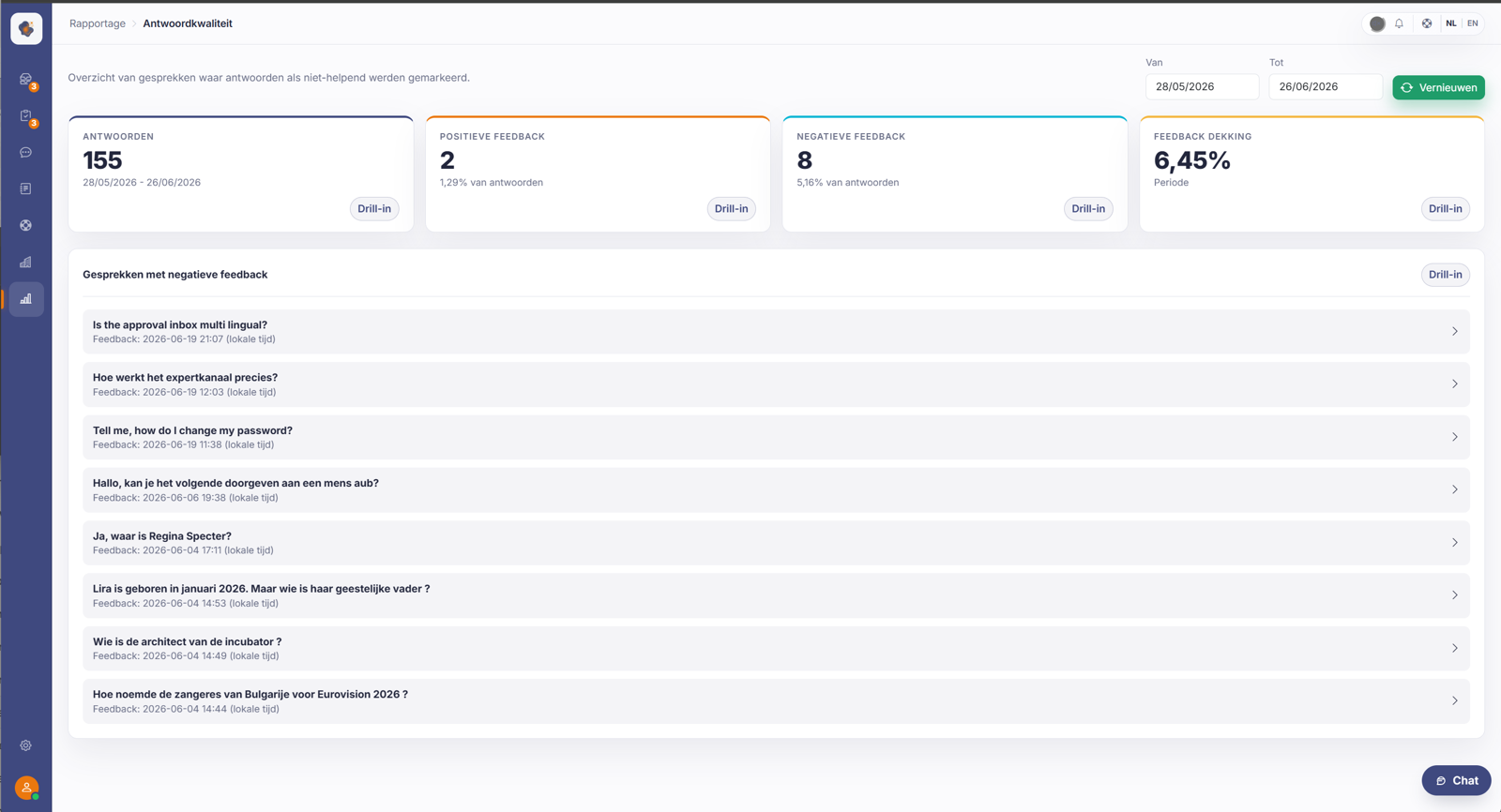
Short answer: the Answer quality report (under AI agent quality) shows which conversations didn't help and how much feedback was positive or negative. That's how you keep an eye on the quality of Sarrai's answers.
What it tells you
This report bundles the feedback and quality measurements of the AI agent. You see the ratio between positive and negative feedback, and which conversations didn't help the customer further.
Good to know
Negative feedback isn't a problem but a signpost: it shows exactly where an answer can be better. Often you fix that with better content or by closing a gap you spotted through the knowledge gaps. Together with the escalation figures, this gives you an honest picture of how well Sarrai performs today.
Read the numbers with some nuance, though: the thumbs feedback is voluntary and one-time (a visitor can't change their thumb), and most answers get no feedback at all. So low coverage is normal, and with a handful of thumbs the percentages are sensitive to noise. Use them as a direction, not an exact score. This chat feedback is also separate from the thumb under a knowledge base article: those are two different things.
Also searched as
"how well does the AI answer", "feedback on the chatbot", "which conversations didn't help", "satisfaction with the AI answers"
See also
Was this article helpful?
Your feedback helps us improve this article.
Thanks for your feedback!
