
Making an article available to the AI agent
Not everything you write has to be available to the AI agent. If you don't want an article to be used by the AI agent, turn off the switch.
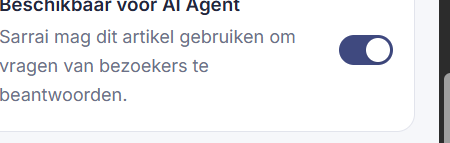
Short answer: in the editor's right-hand panel, under Findability, is the Available for AI Agent switch. When it's on, Sarrai may use this article to answer visitors' questions.
Step by step
- Open the article in the editor.
- In the right-hand panel, find the Available for AI Agent switch.
- Turn it on to release the article as a source for Sarrai, or off to show it only to people.
Good to know
This is the button that decides whether an article counts in Sarrai's answers. Turn it off for content that's fine on your help center but that you'd rather not have the AI use, for example something still in flux. For most articles you just leave it on.
One nuance that catches people out: for a regular article the checkbox isn't enough. It must also be published before the AI can use it. So a nicely written draft that's already set to "AI-available" still isn't used by Sarrai. A snippet, on the other hand, is usable right away, even as a draft. The checkbox is on by default for new articles and snippets, by the way.
In the Help Center you can see at a glance how many articles and snippets are ready as a source for the AI today. See Help Center.
Also searched as
"let the AI use an article", "Sarrai may answer this", "take content out of the AI", "is this article a source for the chatbot"
See also
Was this article helpful?
Your feedback helps us improve this article.
Thanks for your feedback!
